
How to make a payment to AHN
Paying your AHN fees from within Australia / in AUD
- Flywire Bank Transfer (no surcharge). Go to the AHN website and log in to your account. Choose Flywire to pay your quote. Follow the instructions provided by Flywire to complete your payment by bank transfer.
- Alipay (up to 3% surcharge). Go to the AHN website and log in to your account. Choose Alipay to pay your quote. Payment will be processed once the QR code is scanned and authorized via Alipay.
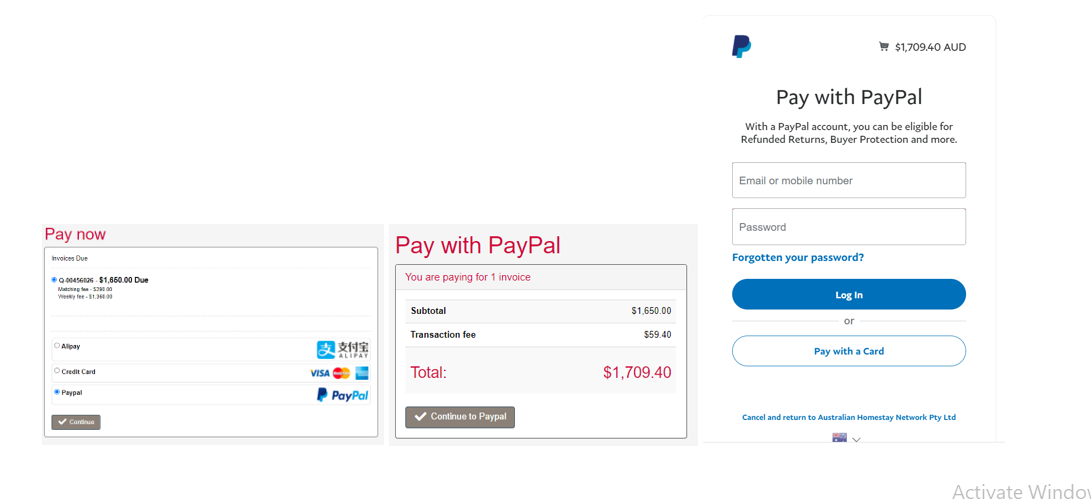
- PayPal (3.6% surcharge). Go to the AHN website and log in to your account. Choose PayPal to pay your quote. Your payment will be processed immediately.
- Bank Transfer (no fees). Transfer your payment from your bank account to the AHN bank account. Please use OSKO bank transfers for URGENT PAYMENTS.
- TorFX (No transfer fee). Transfer your payment using TorFX. Once your account is set up and you have funds in your TorFX wallet, payment is processed within 24–48 hours.
- TransferMate (No international sender/receiver fees). Allow 2–4 days for payment to be processed.
Paying your AHN fees from overseas / in your local currency
- Flywire Bank Transfer or Credit Card (no surcharge). Go to the AHN website and log in to your account. Choose Flywire to pay your quote. Follow the instructions provided by Flywire to complete your payment. Please use the Flywire Credit Card option for URGENT PAYMENTS.
- Alipay (up to 3% surcharge). Go to the AHN website and log in to your account. Choose Alipay to pay your quote. Payment will be processed once the QR code is scanned and authorized via Alipay.
- PayPal (3.6% surcharge). Go to the AHN website and log in to your account. Choose PayPal to pay your quote. Your payment will be processed immediately.
- International Wire Transfer ($25 bank fee). Transfer payment from an overseas bank account. There is a $25 bank fee charged by the bank for this. Allow 7–10 days for payment to be processed.
- TorFX (No transfer fee). Transfer your payment using TorFX. Once your account is set up and you have funds in your TorFX wallet, payment is processed within 24–48 hours.
- TransferMate (No international sender/receiver fees). Allow 2–4 days for payment to be processed.
Logging into your AHN Account
Log in to your AHN account, or click on the link at the bottom of the latest email received from us.
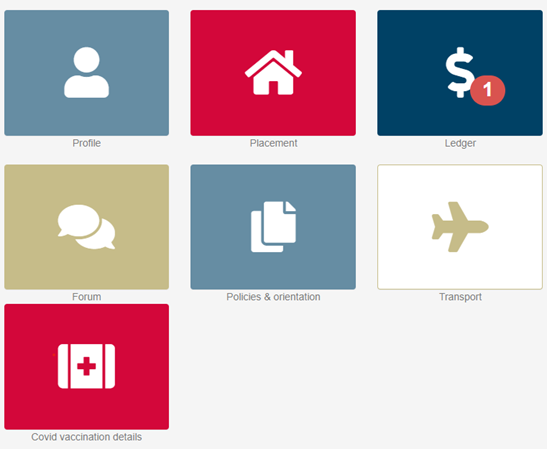
Once you have logged in, your dashboard will show you have received a new invoice. Click on:

Or click on the $ symbol
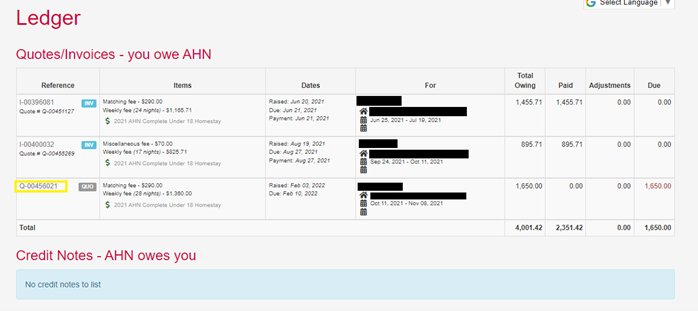
Your ledger will show with the outstanding quote number (as highlighted). Click on the quote you wish to pay.
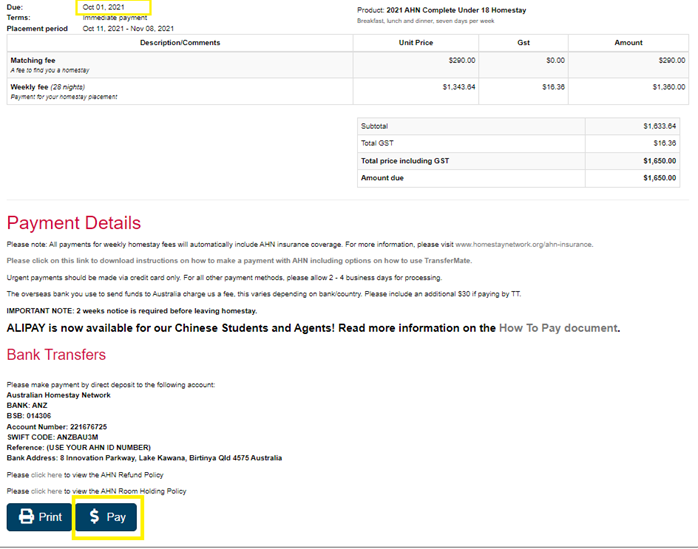
Once you have opened the quote you can view the amount owing, along with what the payment is for and the due date (as highlighted.)
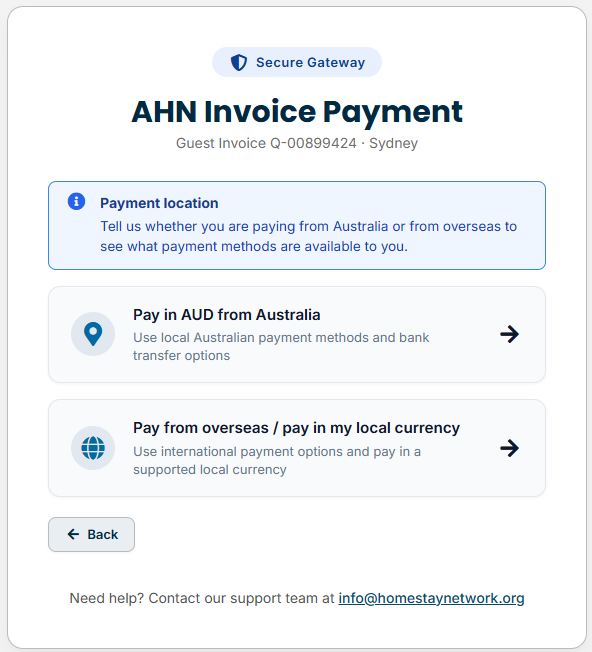
Select your payment location (within Australia / in AUD OR overseas / in your local currency).
Enter the payer details.
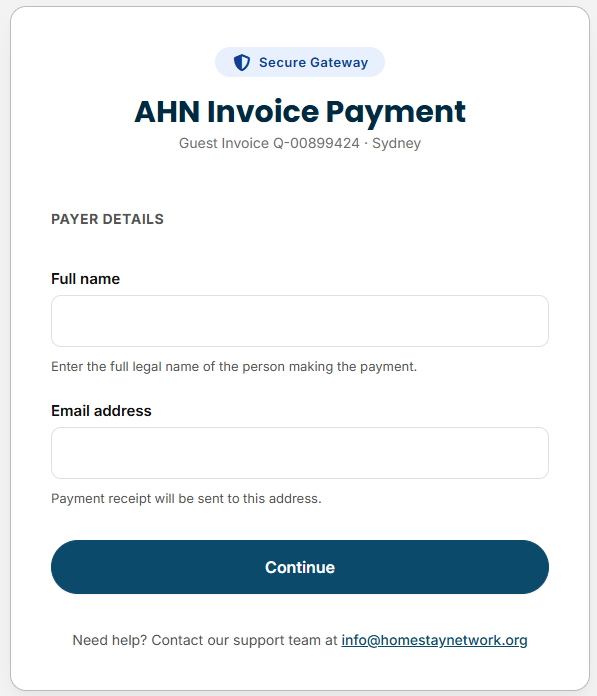
Payment options will be displayed. Additional payment methods available outside of the system are also outlined below.
Paying by Flywire Bank Transfer (within Australia / in AUD)
Select Flywire bank transfer from the payment options.
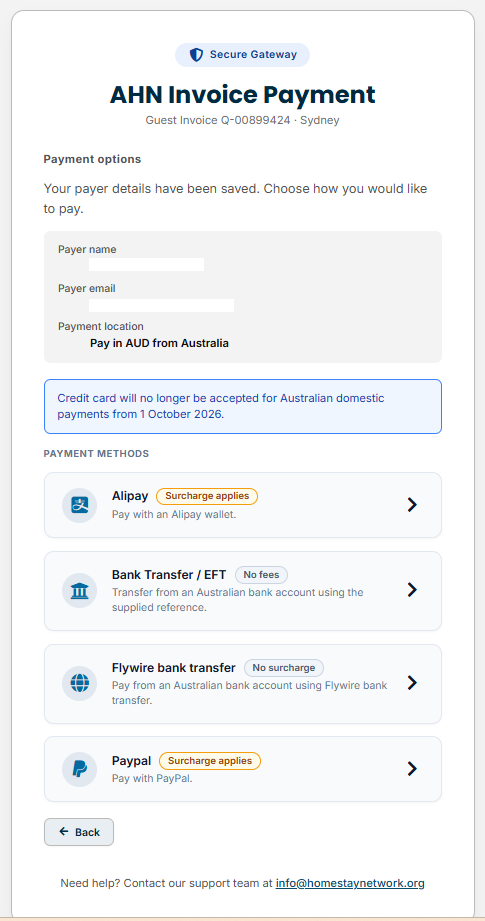
The following screen will appear.
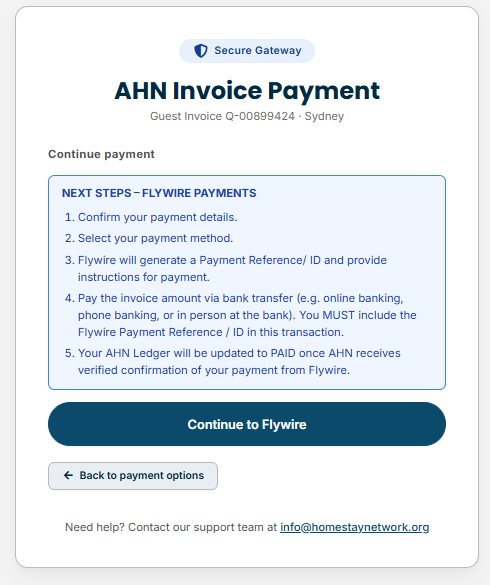
Review the total amount and confirm your payment details.
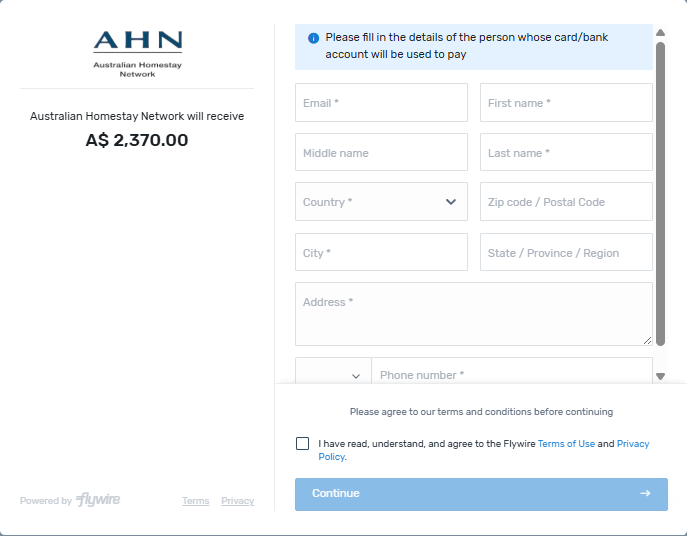
Select your payment method.
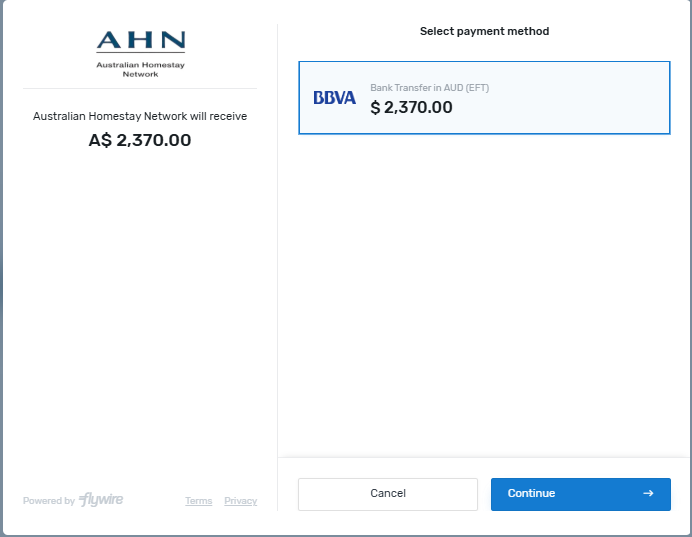
Click GENERATE PAYMENT INSTRUCTIONS.
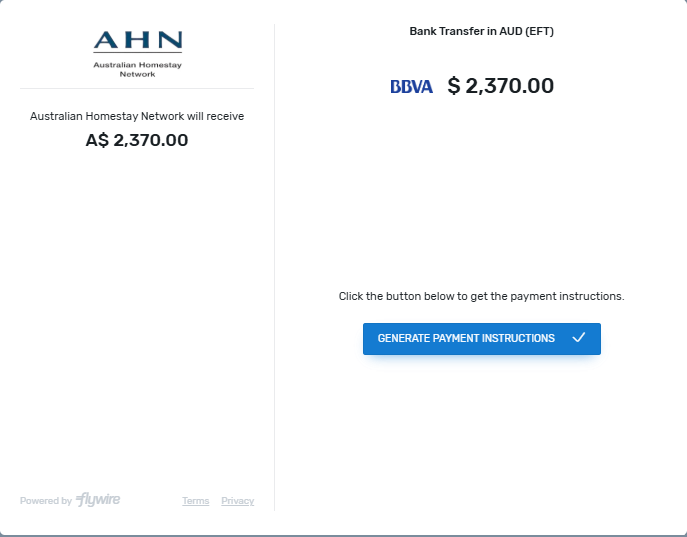
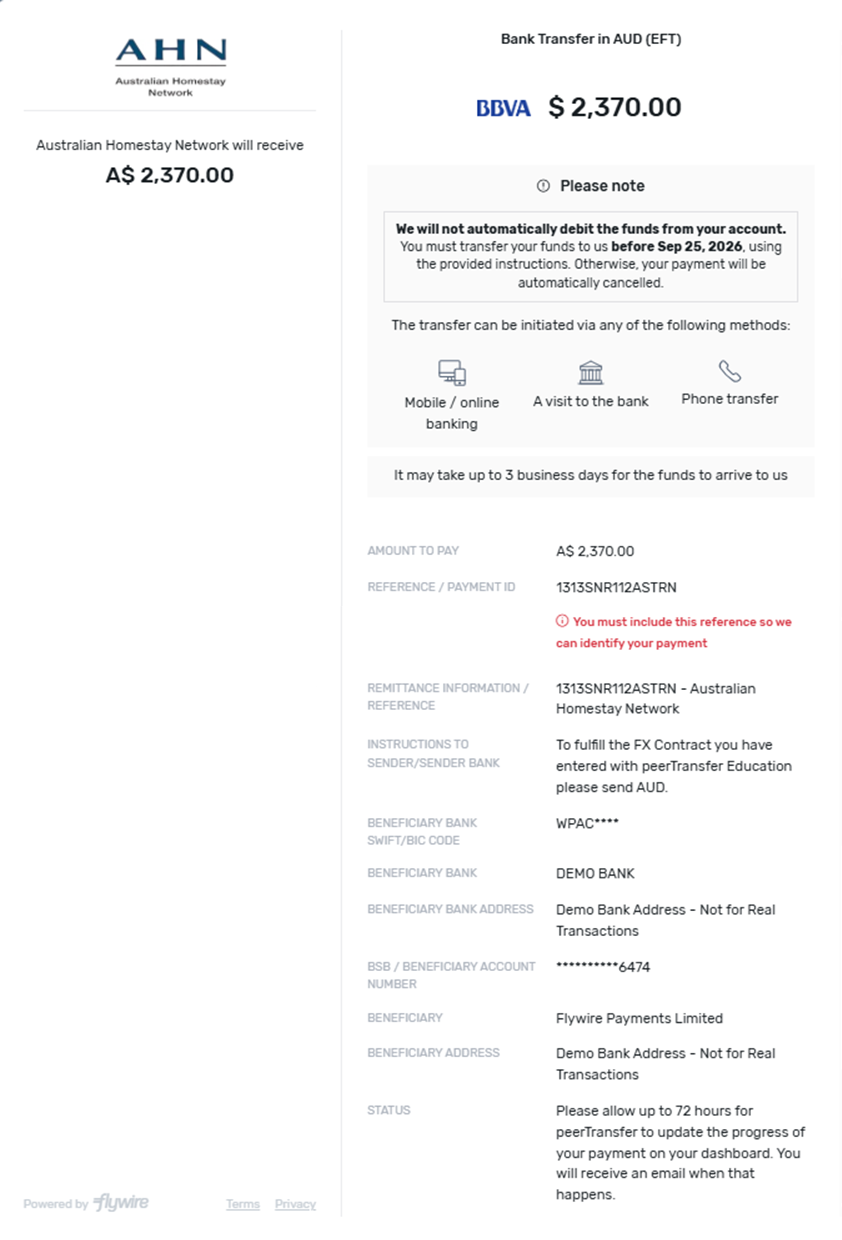
Flywire will generate a Payment Reference/ ID and provide instructions for payment.
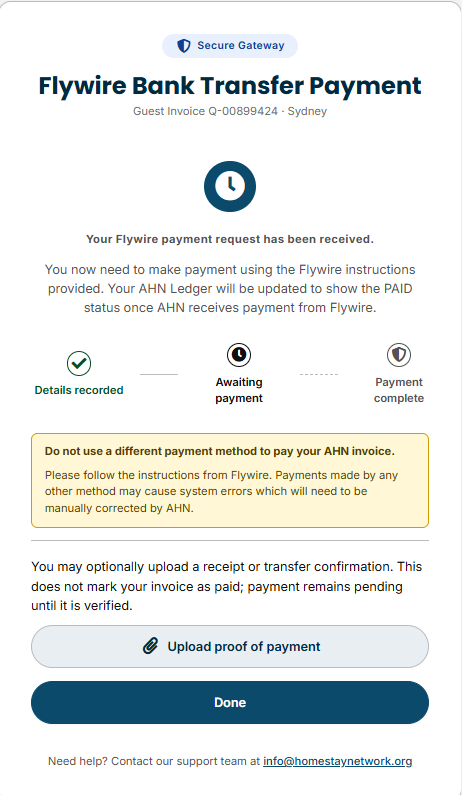
A screen will appear showing that your Flywire payment request has been received.
Please follow the instructions from Flywire to pay the invoice amount via bank transfer (e.g. online banking, phone banking, or in person at the bank). You MUST include the Flywire Payment Reference / ID in this transaction.
Paying by Flywire Bank Transfer or Credit Card (for payments outside Australia / in your local currency)
Select Flywire from the payment options.
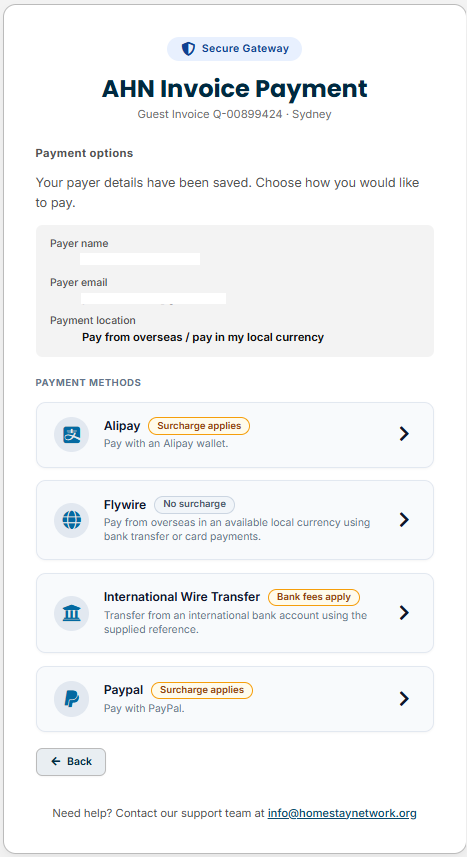
The following screen will appear.
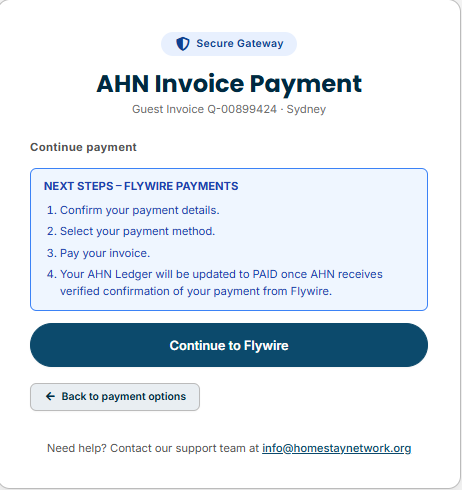
Review the total amount and confirm your payment details.
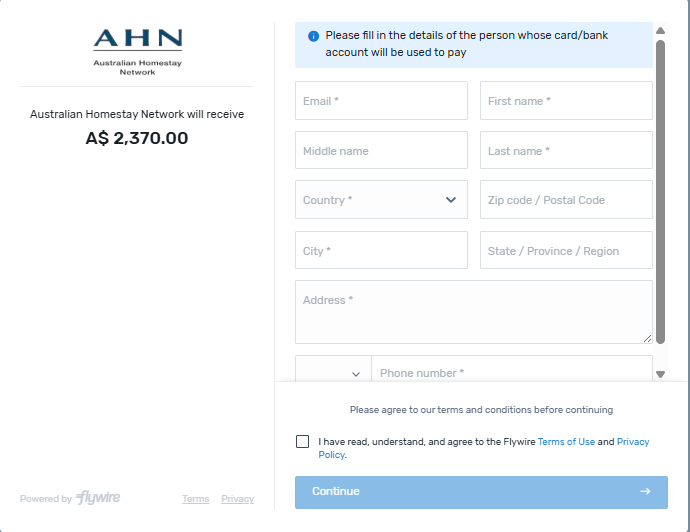
Select your payment method.
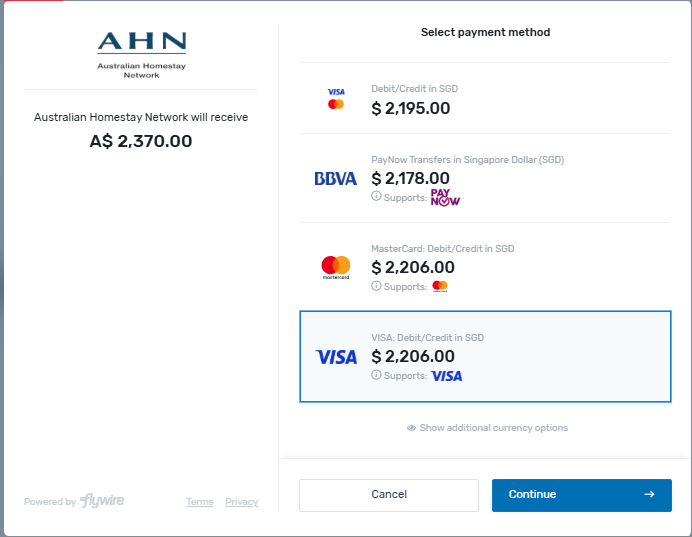
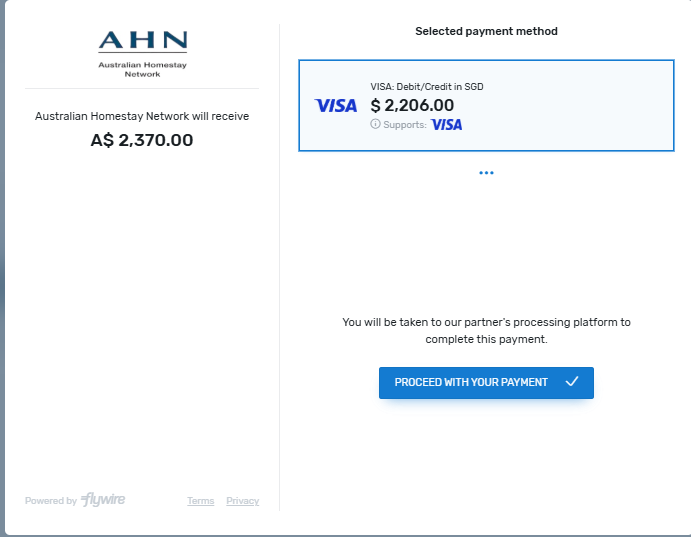
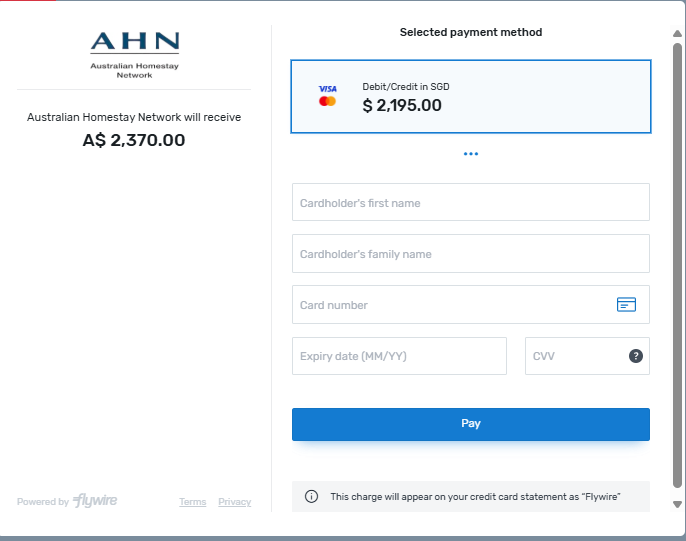
You will need to enter your card details if you select to pay by debit / credit card.
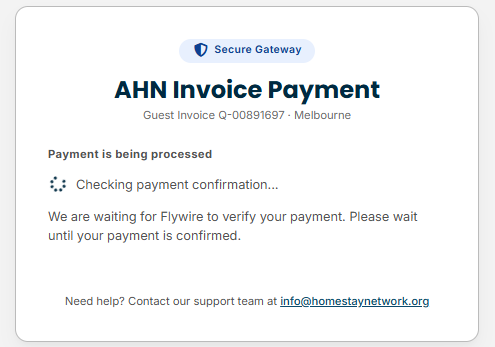
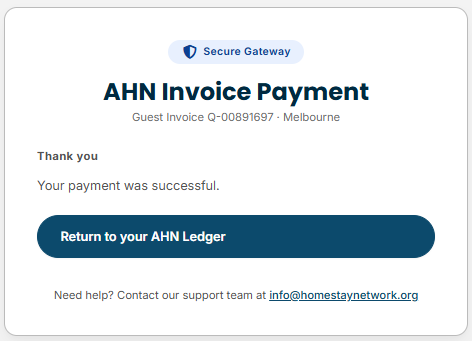
A payment confirmation screen will appear once your payment has been processed.
If you select bank transfer, Flywire will need to generate a Payment Reference/ ID and provide instructions for payment.
Click GENERATE PAYMENT INSTRUCTIONS.
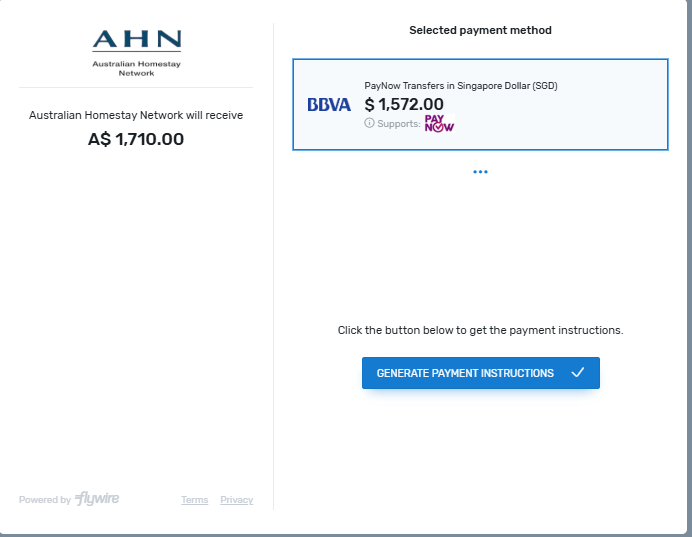
Flywire will generate a Payment Reference/ ID and provide instructions for payment.
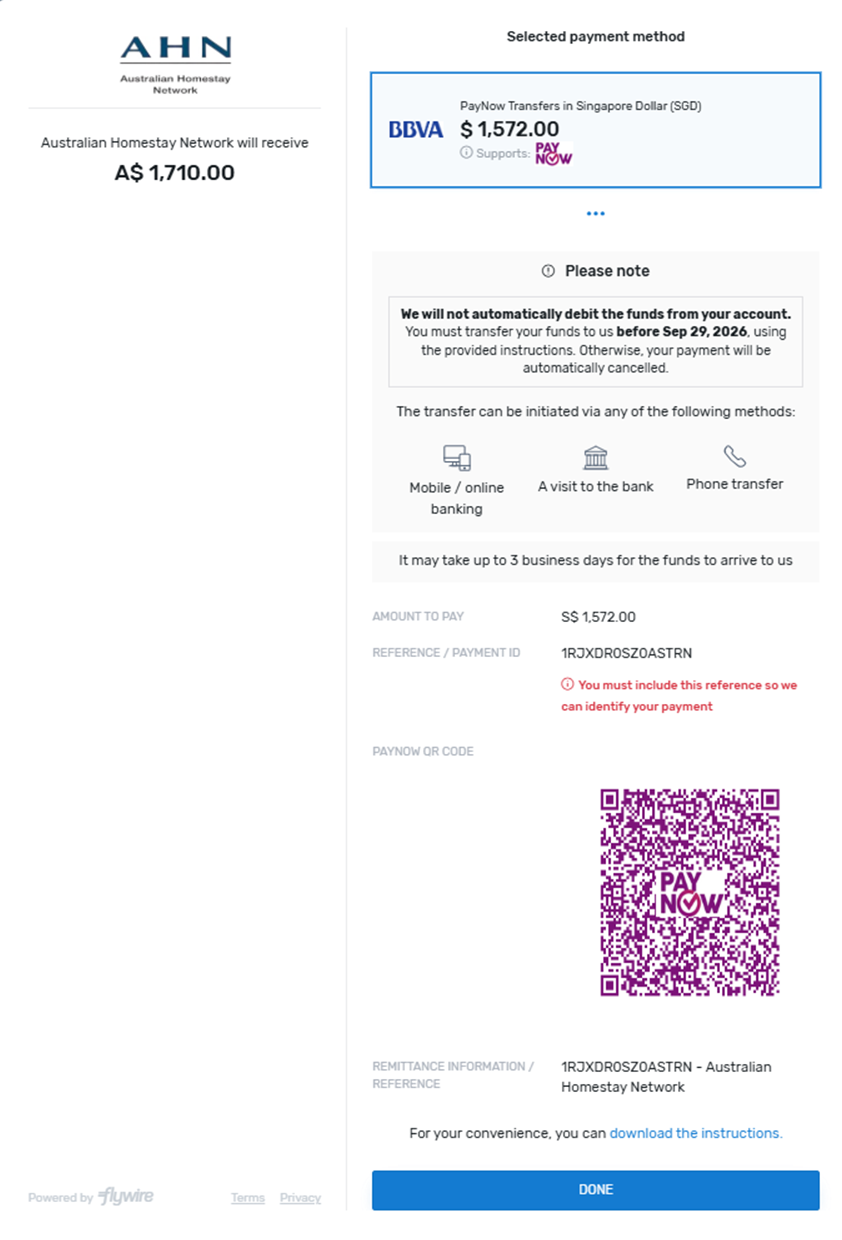
A screen will appear showing that your Flywire payment request has been received.
Please follow the instructions from Flywire to pay the invoice amount via bank transfer (e.g. online banking, phone banking, or in person at the bank). You MUST include the Flywire Payment Reference / ID in this transaction.
Paying by Alipay
Select Alipay from the payment options.
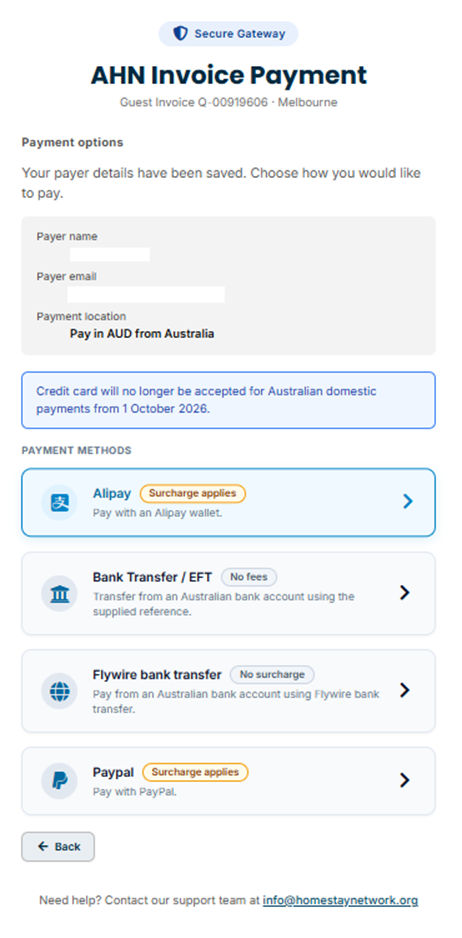
The following screen will appear.
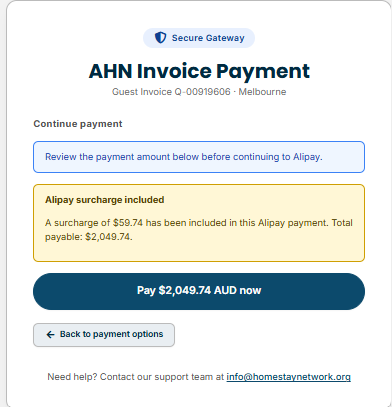
Review the total amount including transaction fees and select Alipay to continue to the Alipay portal.
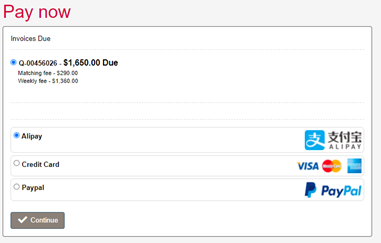
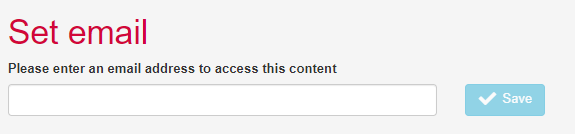
The Alipay transaction fee will be calculated and displayed in addition to the total owing.
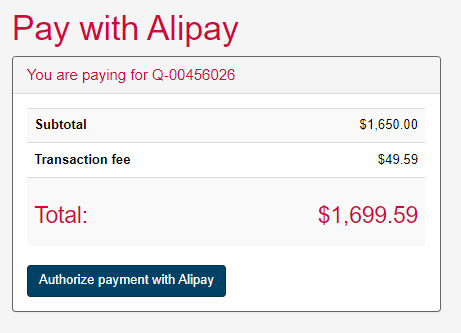
Click Authorize payment with Alipay and you will be taken to the Alipay website.
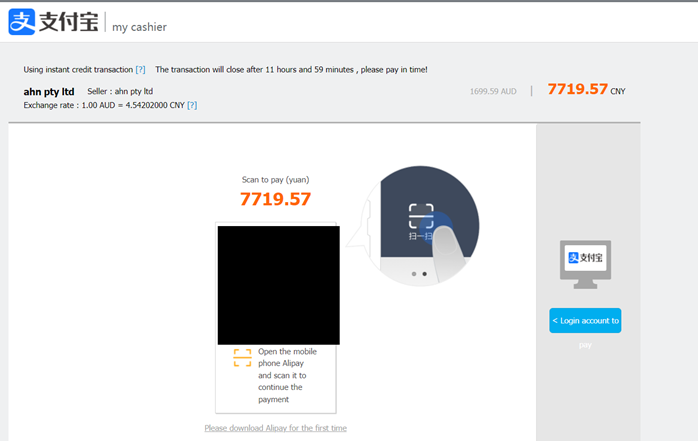
The QR code will be generated for you to scan and make payment via the Alipay app or website. If you are an agent managing a student’s homestay you can forward the QR code to the student or their parents for payment.
You will be redirected back to the Homestay Management System once the payment has been authorized. After the payment has been processed successfully, you will see the below screen.

Paying by PayPal
Select PayPal from the payment options.
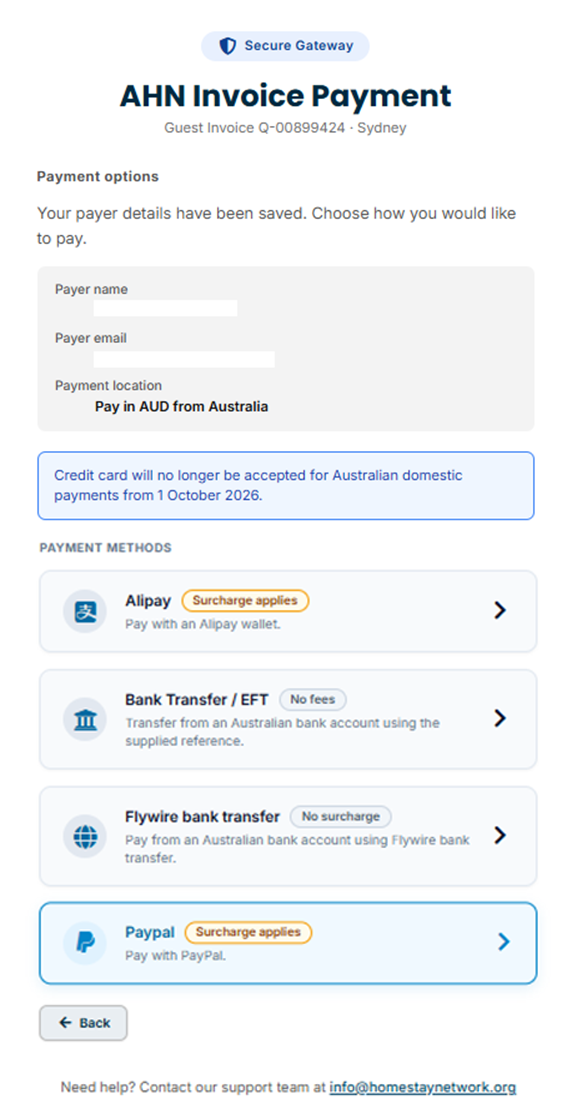
Log in and process your payment as per standard PayPal processes:
Paying by Bank Transfer (within Australia /AUD only)
Select Bank Transfer / EFT from the payment options.
Confirm the amount, copy our bank details and make a note of your unique required reference number.
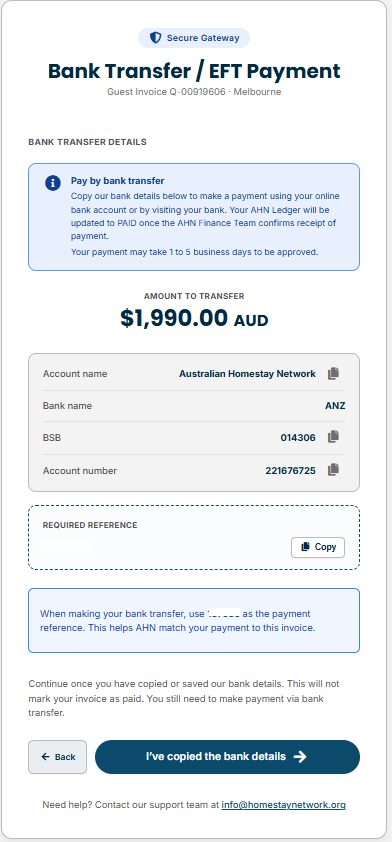
A screen will appear showing that your Bank Transfer / EFT payment request has been received.
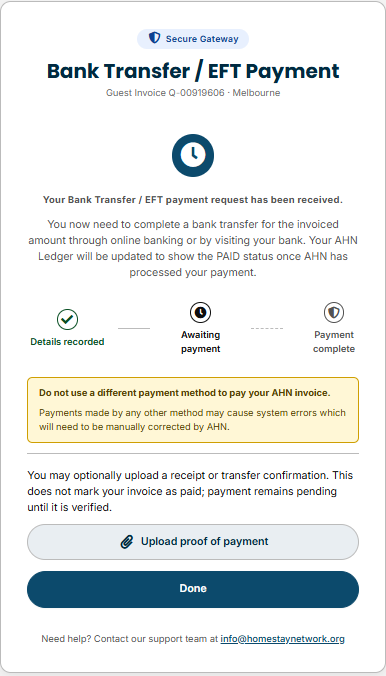
Make a payment to the AHN bank account via online bank transfer or by visiting your bank.
You must ensure that your unique reference number is included on your payment.
Paying by International Wire Transfer (for payments outside Australia / in your local currency)
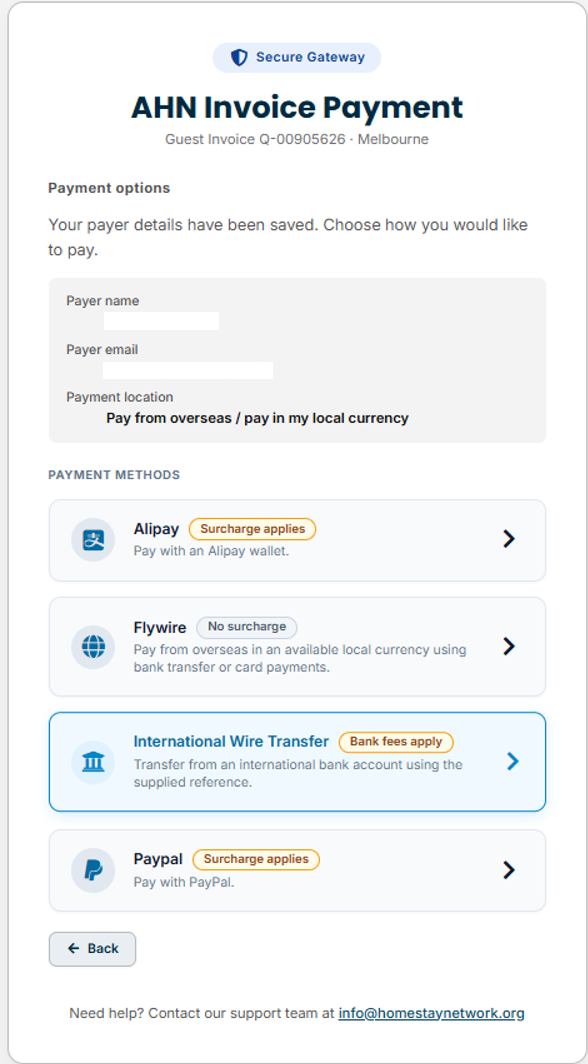
Select International Wire Transfer from the payment options.
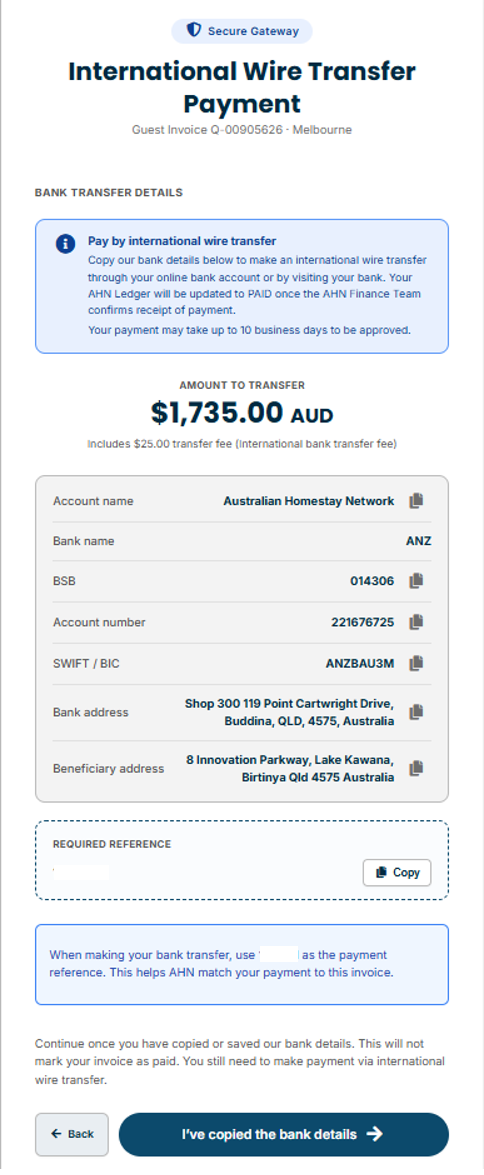
Confirm the amount, copy our bank details and make a note of your unique required reference number.
A screen will appear showing that your International Wire Transfer payment request has been received.
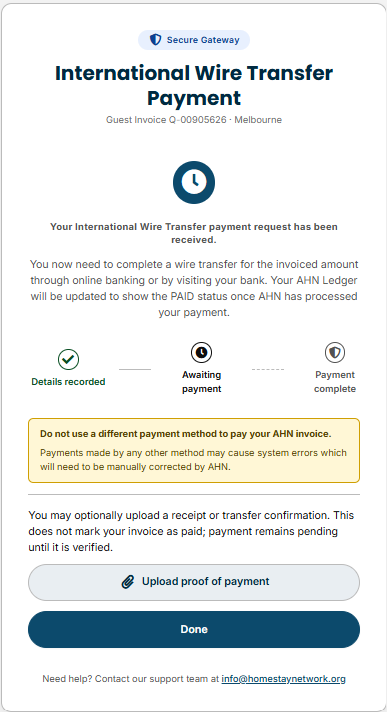
Make a payment to the AHN bank account via online bank transfer or by visiting your bank.
You must ensure that your unique reference number is included on your payment.
NOTE: There is an additional $25 charge for all international wire transfer payments.
Please ensure you send a copy of your remittance to AHN so that we can locate your payment. Telegraphic transfers can take up to 14 business days to be processed and could result in a delay of your placement being confirmed if you are not yet in homestay. Please ensure you make your payment as early as possible.
Paying by TorFX
TorFX is a currency broker offering a range of international payment and exchange services. You can set up an account online or via the TorFX Currency Transfer app, allowing students and agents to pay AHN accounts with no transfer fees.
Open a TorFX account prior to paying your AHN account. Please have your phone ready to accept a phone call from a TorFX representative who will help you to set up your account.
What are the benefits?
- Highly competitive exchange rates
- Personal service from a dedicated account manager
- Fast, efficient service
- No transfer fees
- Access to multiple foreign currency wallets
- No requirement to set up localised bank accounts
- Transfer 40+ currencies to over 120 countries quickly and securely
TorFX lets you make international payments to AHN for free while receiving competitive foreign exchange rates, without paying international banking charges.
Pay your AHN fees now!
Step 1. Visit the TorFX registration page and open your account with TorFX. Please have your phone ready to accept a phone call from a TorFX representative.
Step 2. An account manager from TorFX will call you to confirm your registration and help you set up your account.
Step 3. You can now use your TorFX account to convert currency to AUD at market rate and hold the money in your TorFX Customer Wallet.
Step 4. When you are ready to pay your AHN account, transfer the funds from your TorFX Wallet to the AHN account using your AHN GUEST ID as the reference.
Step 5. You will receive a confirmation that your payment has been received.
Paying by TransferMate
TransferMate makes it easier and cheaper for international students to pay for their student fees and accommodation.
At AHN, we know that our international students often get caught out by annoying transfer fees when paying for their tuition. We don’t think that’s fair, so we’ve teamed up with TransferMate to help you pay your fees without wasting precious funds on additional fees or charges. There is a 2–4 day processing time once payment is submitted. Please ensure you use another payment method if you need to make an URGENT payment.
What are the benefits?
- No international sender/receiver fees (Note: There is a $20 fee for Credit Card payments)
- Excellent exchange rates
- 24 hour customer service and online tracking of payments
- Quick allocation of your payment
- Safer method of payment
- Bulk payment options
TransferMate lets you make international payments to AHN for free, without paying international banking charges, while receiving competitive foreign exchange rates.
Pay your fees now!
Step 1. Visit the TransferMate payment site and complete the brief registration form. Select Yes from the “Are you ready to pay today?” dropdown and then click the Process button.
Step 2. Transfer the funds to the advised bank account.
Step 3. Email edupayments@transfermate.com with receipt of payment, a copy of your student passport, and your quote from AHN.
Step 4. Once TransferMate receive your funds and required documents, they will transfer the funds to us at AHN and email you confirmation of payment.
Please click the link below to commence using the TransferMate system: TransferMate payment site.